
This article shows how to set up an optional proxy server for the VPN connection in IGEL OS.
If you use a proxy, set the Communication protocol to the host as tcp-client under OpenVPN > [OpenVPN Connection] > Options. For detailed information on options settings, see Options for OpenVPN in IGEL OS12.
Menu path: Network > VPN > OpenVPN > [OpenVPN Connection] > Proxy
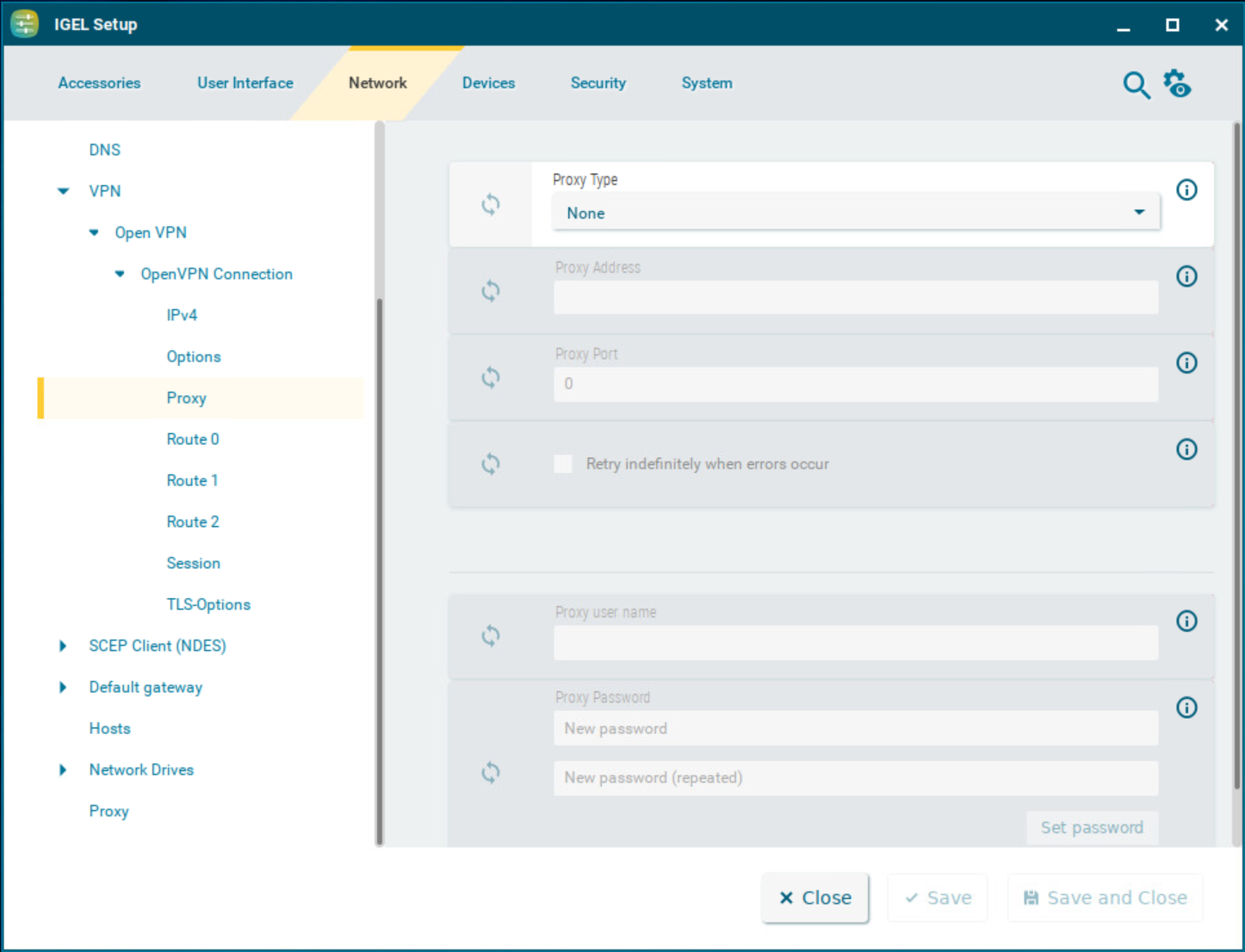
Proxy type
-
None: Direct connection to the Internet. (Default)
-
HTTP: HTTP proxy will be used.
-
SOCKS: SOCKS proxy will be used.
Proxy address
Name or IP address of the proxy server
Proxy port
Port on which the proxy service is available
Retry indefinitely when errors occur
☑ In the event of errors, repeated attempts to establish a connection via proxy will be made.
☐ No further attempts to establish a connection will be made. (Default)
The following credentials are for the HTTP proxy type:
Proxy user name
User name for the proxy server
Proxy password
Password for the proxy server