
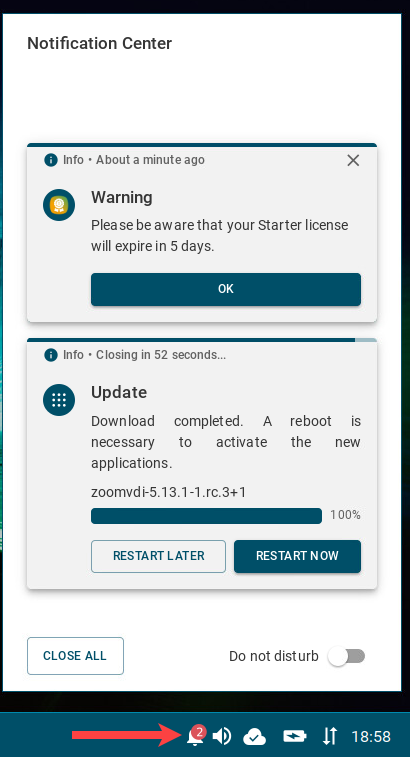
On an IGEL OS device, you can view all non-closed notifications in the Notification Center.
Notification Center icon 
If you do not want to see floating notifications, you can activate the Do not disturb function.
In the Notification Center, you can see
-
Update notifications prompting the user to reboot the device to complete the app installation. The device will be restarted automatically if the user will not react within 60 seconds; this timeout can be changed under System > Update > Timeout for automatical reboot in seconds.
If you do not want the user to see the update notifications, check the settings under System > Update > Action after app activation. See Update - App Update Settings in IGEL OS 12.
Note: The update notification is different if you have configured the background app update, see How to Configure the Background App Update in the IGEL UMS Web App.
-
EULA notifications if the End User Licence Agreement has to be accepted. When this may be necessary is described under Accepting EULA in the UMS.
-
Messages sent by the UMS administrator
-
Warnings, e.g. about license expiration, and errors
-
Other notifications, e.g. about a new configuration the system has received