
This article describes how to use and modify the screen magnifier.
Menu path: User Interface > Accessibility > Screen Magnifier
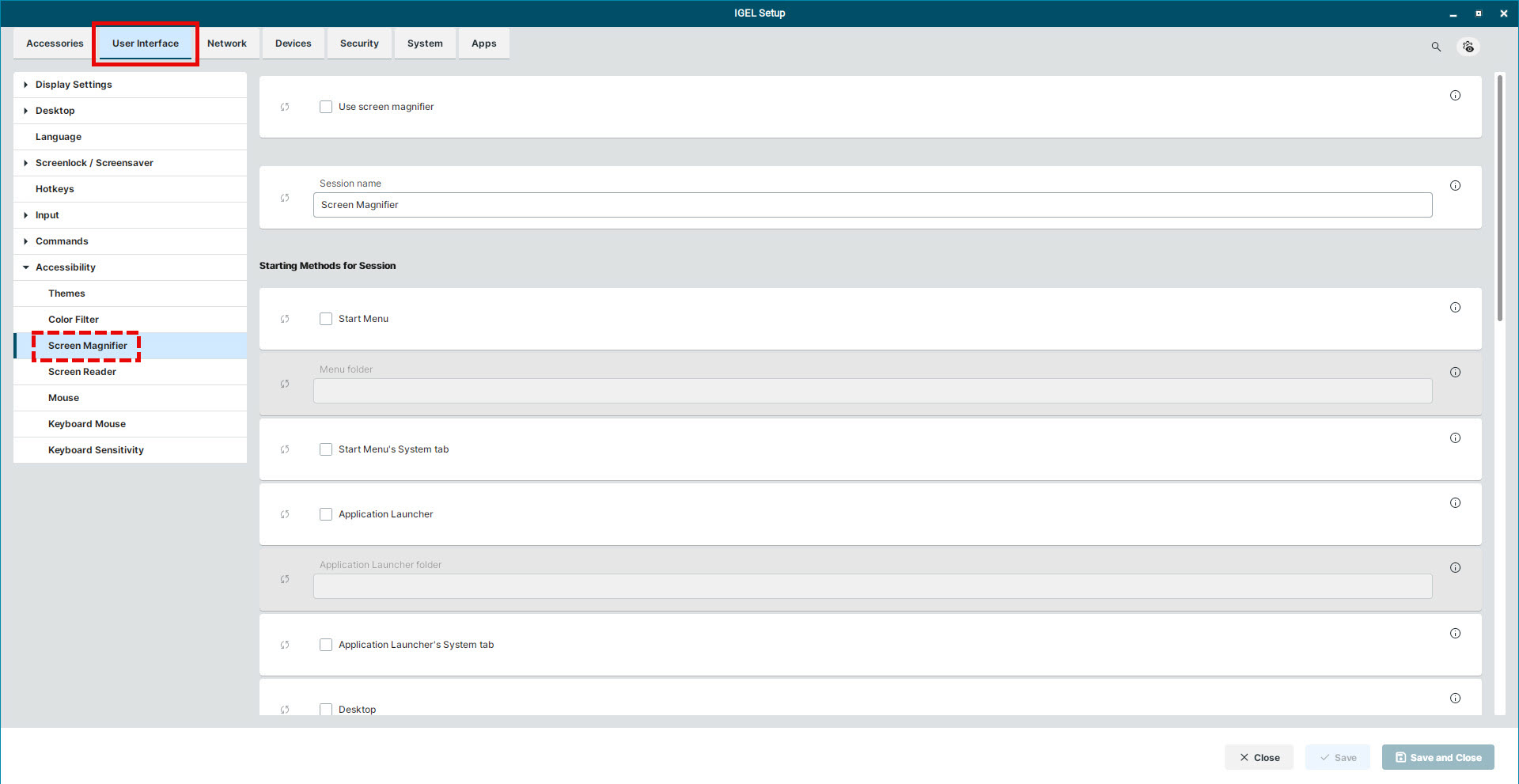
Use screen magnifier
☑ A window opens and shows an enlarged part of the screen depending on the mouse position. By default, the magnifier follows the mouse. A system tray app 
Configuration options within the screen magnifier window:
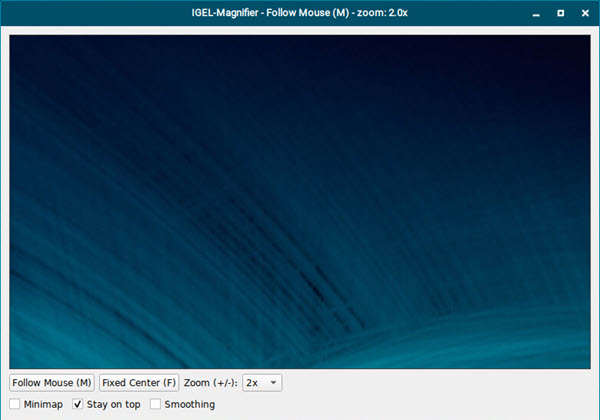
Follow Mouse (M)
This option is enabled by default. The magnified area follows the mouse.
Fixed Center (F)
The magnified area stays at a fixed position on the screen. Dragging the window to a different spot changes the magnified area to be displayed.
Zoom (+/-)
Set the zoom level from 1x to 16x. By default, this value is set to 2x.
Minimap
☑ Enables a minimap at the bottom of the window. It shows the magnified area on the screen.
☐ Minimap is disabled. (Default)
Stay on top
☑ The magnifier window always stays on top of other screens. (Default)
☐ The magnifier window behaves like a normal window. It can be covered by other applications.
Smoothing
☑ Reduces pixelation and jagged edges in the magnified area.
☐ Smoothing is disabled. (Default)
☐ Screen magnifier is disabled. (Default)
You can configure the screen magnifier to be activated via icons in the Quick Start Panel and on the desktop or via hotkey.
The starting methods parameters are described under Starting Methods for Apps.