

The SafeSign Identity Client app enables strong authentication on IGEL OS using supported smart cards and USB tokens. This middleware supports a wide range of smart card technologies and authentication devices, helping organizations integrate certificate-based authentication into their IT environments.
This article provides guidance on configuring the SafeSign Identity Client app on IGEL OS. For more information about smart cards on IGEL OS, see How to Use Smart Card and Smart Key Authentication in IGEL OS 12 and Using Two-Factor Authentication (2FA).
This article is based on SafeSign Identity Client version 3.6.0 BUILD 2.
Requirements
-
SafeSign Identity Client app is imported to your IGEL UMS. For details on app import, see How to Import IGEL OS Apps from the IGEL App Portal.
Configuring the Token Administration Utility
-
In the IGEL UMS Web App, create a profile configuring the app. For details on profile creation, see How to Create and Assign Profiles in the IGEL UMS Web App.
-
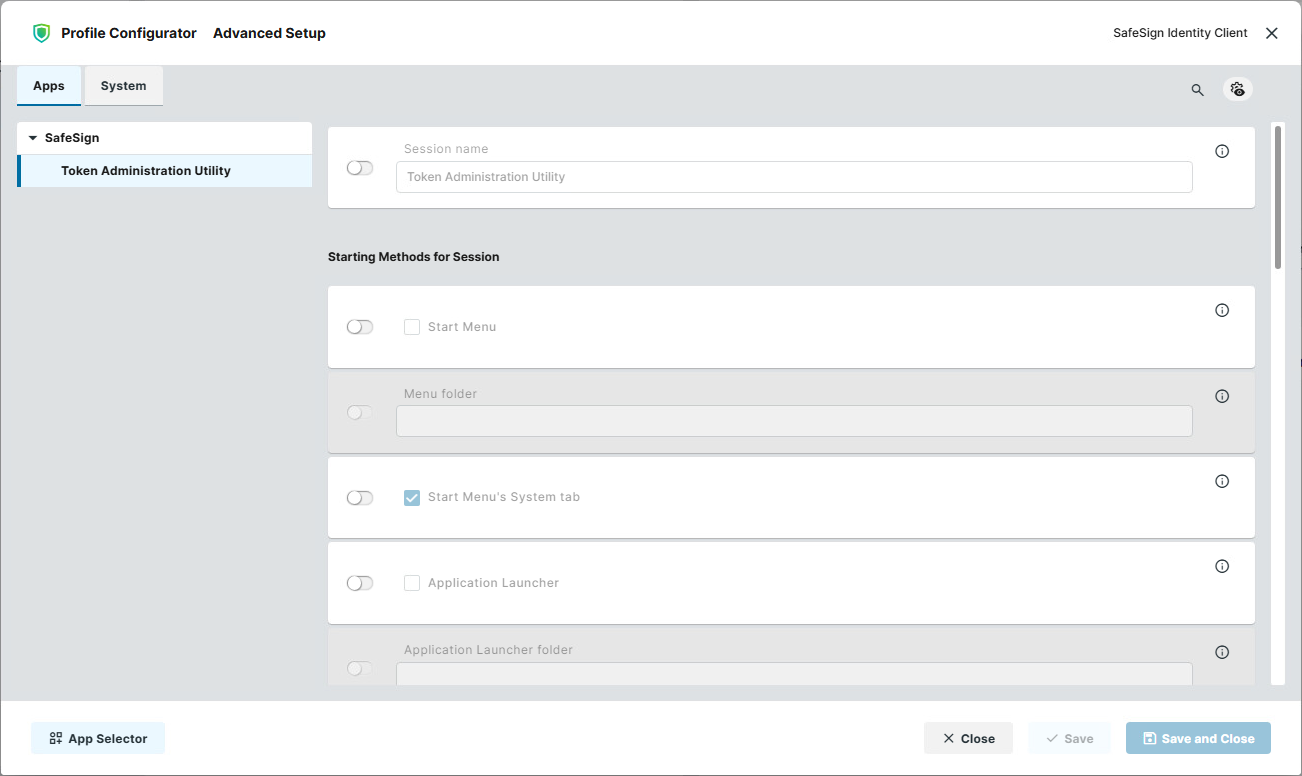
In the Profile Configurator, go to Apps > SafeSign > Token Administration Utility.
-
Define the starting methods for the session. The starting methods parameters are described under Starting Methods for Apps.
-
Save the settings.
-
Assign the configured profile to the required devices / device directories.